Alternative guide
Best Streamex Alternatives: Safe Apps by Device
Looking for Streamex alternatives, apps like Streamex, or websites like Streamex? Choose by device and purpose, then verify the source before you install or sign in.
Quick answer
What is the best Streamex alternative?
The best Streamex alternative depends on the job. If you are comparing apps like Streamex or sites like Streamex, separate movie discovery, legal playback, TV casting, APK installation, and PC use before choosing a replacement.
Do not treat every page that says Streamex alternative as trustworthy. Many results mix legal streaming services, movie databases, APK indexes, browser extensions, and unofficial streaming sites in one list. A useful alternative should explain what it can and cannot do, where the app comes from, what permissions it asks for, and whether it is for discovery, playback, casting, or account-based streaming.
This page is not a list of piracy mirrors. It is a decision guide for choosing a safer replacement path. It links back to the Streamex APK, TV, PC, and status guides when the safer answer is to fix your setup instead of switching to a different app.
Compare options
Streamex Alternatives, Apps Like Streamex, and Websites Like Streamex
Searches for Streamex alternatives often mix apps, websites, APK indexes, and legal streaming services. Use the phrase that matches your goal, but keep the same safety boundary: identify the operator, source, permissions, supported device, and legal access model before trusting a replacement.
Use the comparison below to keep the decision clean. The safest replacement is usually the one that solves your exact problem with the least unknown software.
| Your goal | Better alternative type | What to verify |
|---|---|---|
| Find movies and shows | Watchlist or discovery app | Store listing, developer, privacy, account need, and legal source links. |
| Watch legally | Official streaming service or rental store | Subscription, region, title availability, playback rights, and supported devices. |
| Use a big screen | Android TV app, Google TV app, casting, or supported device | Remote support, TV listing, casting behavior, and account security. |
| Install outside a store | Only a verified APK source when no store route works | Package ID, version, file size, permissions, update date, and scan results. |
| Use Windows or Mac | Reputable Android emulator or mobile companion workflow | Official emulator source, uninstall path, app identity, and fake installer warnings. |
Device fit
How to choose a Streamex replacement for phone, TV or PC
On Android phones, the cleanest option is still an official store listing or a carefully checked APK when a store route is unavailable. On iPhone and iPad, avoid configuration profiles, enterprise certificates, or side-load claims unless a trusted source clearly documents them. On TV, the best alternative is usually a service or discovery app built for remote control rather than a phone APK stretched onto a TV box.
For PC, be especially careful. A page that offers a native Streamex replacement for Windows or Mac may be a wrapper, a downloader, or unrelated software. If your goal is only to plan what to watch, a web-based watchlist or the mobile app beside your laptop may be enough. If you need to test Android behavior, use a reputable emulator and follow the PC guide instead of trusting an EXE that borrows the Streamex name.
- Name the job first Decide whether you need discovery, legal playback, TV control, APK installation, or desktop testing.
- Choose the lowest-risk source Prefer official app stores, recognized services, and transparent developer pages over mirrors.
- Match the device A good phone alternative may be poor on TV, and a TV app may not help with PC use.
- Check permissions before signing in Cancel installs that ask for contacts, SMS, device admin, accessibility, or unrelated account control.
Safety
Safety checklist before using apps like Streamex
A safe alternative should make its identity clear before installation. Look for a consistent app name, developer, package ID, update date, screenshots, permissions, and support channel. If the page hides those details behind download buttons, redirects, countdowns, or bundled installers, it is not a good replacement even if it ranks well in search.
Also separate legal access from discovery. A movie database or watchlist app can help you find where a title is available, but it does not grant streaming rights. A streaming service app can play content only within its catalog, region, subscription, rental, or ad-supported rules. Apps that promise every premium movie without a clear rights model create security and legal risk.
- Prefer official stores or the developer website when available.
- Avoid PC EXE files, browser extensions, codec packs, and premium unlockers using the Streamex name.
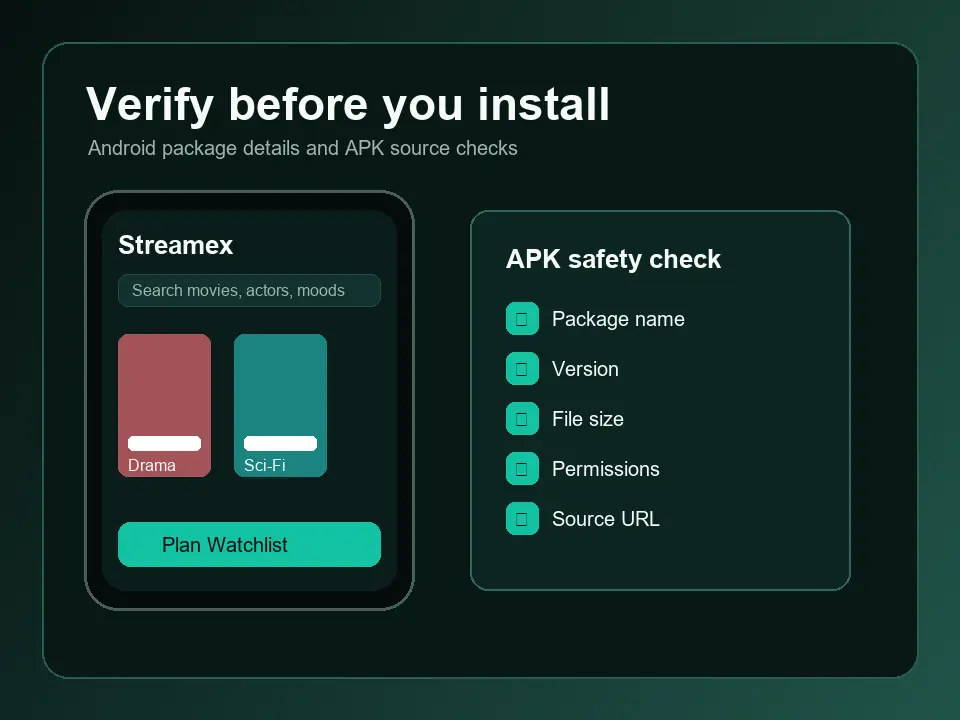
- Check package identity and permissions before installing APK files.
- Do not enter passwords into a clone, mirror, or app that changed brand after launch.
- Use Play Protect or another trusted scanner and uninstall suspicious packages quickly.
Keep or switch
When you should keep troubleshooting Streamex instead of switching
Sometimes the better answer is not a new app. If Streamex is only missing on one device, the issue may be compatibility, region, store account, Android version, or TV support. In that case, use the device-specific guides first. The APK guide helps with source verification, the TV guide explains living-room compatibility, and the PC guide covers emulator and Chromebook decisions.
Switching makes more sense when your goal is different from what Streamex offers. If you need verified legal playback, use the official service app. If you need deep catalog tracking, use a dedicated watchlist app. If you need a child-safe TV interface, choose a service with profiles and parental controls. A good alternative is not the one with the boldest download button; it is the one that reduces uncertainty.
| Situation | Better next step | Why |
|---|---|---|
| Streamex missing only on one phone | Check compatibility and the APK guide | The app may still be available for another device or account. |
| You need Android TV support | Use the TV guide or a TV-native app | Remote control and screen layout matter more than phone compatibility. |
| You want a Windows app | Use the PC guide before downloading anything | Native desktop claims need stronger proof than an emulator workflow. |
| You want legal playback | Use official streaming or rental apps | Discovery tools do not replace streaming rights. |
References
Official references for safer alternative choices
These references help explain app scanning, Google Play compatibility, and casting. They do not endorse any third-party Streamex mirror or alternative list.
FAQ
Best Streamex Alternatives: Safe Options by Device and Use Case FAQ
Are Streamex alternatives safe?
They can be safe when they come from official stores or transparent developer sources, have permissions that match their purpose, and do not promise illegal premium access. Avoid mirrors, unlockers, and unknown PC installers.
What app is most similar to Streamex?
For discovery and watchlists, choose a movie or TV tracking app. For actual playback, use the official streaming service that owns or licenses the title in your region.
Should I use a free streaming site as a Streamex replacement?
Be careful. Many free streaming sites rely on aggressive ads, mirrors, or unclear rights. A safer choice is an official ad-supported service, a rental store, or a watchlist app that points to legal sources.
What if Streamex is unavailable on my TV?
Check Android TV or Google TV compatibility first. Casting from a phone or using a TV-native app is usually safer than forcing a random phone APK onto a TV box.
Can I use a Streamex alternative on PC?
Yes, but avoid random desktop installers. Use a reputable web app, an official streaming service, or a trusted Android emulator only when you understand the source and uninstall path.
Which websites like Streamex should I compare?
Compare websites like Streamex only when they clearly identify the operator, supported devices, catalog model, price, region limits, and account requirements. For an app replacement, also compare apps like Streamex by source and permissions. A site that hides ownership or pushes an unknown installer is not a trustworthy alternative.