Subtitle troubleshooting guide
Streamex Subtitles: Captions, Language Tracks and Device Checks
Searches for Streamex subtitles usually come from a very specific problem: the app, TV screen, casting session, or source page does not show the captions a user expects. This guide separates subtitle settings, source limitations, device behavior, and risky download claims before you install a different APK just to fix captions.
Quick answer
Can you turn on subtitles in Streamex?
You can only turn on Streamex subtitles when the app screen, embedded player, or linked source exposes a caption control for the title you are viewing. Streamex is commonly described around movie and TV discovery, trailers, watchlists, and source navigation, so subtitle behavior may depend on the actual video source rather than one global Streamex setting. If a title has no CC, subtitle, audio, or language button in the player, switching devices may not create captions that the source does not provide.
Start with a simple rule: look for captions inside the current player first, then check the device accessibility settings, then confirm whether the title or source actually has subtitle tracks. Do not install a random Streamex subtitles APK, caption unlocker, codec pack, or browser extension just because a page says it fixes subtitles. Subtitle problems are often caused by unavailable tracks, casting limitations, TV remote focus issues, region differences, or a phone-only player running on a TV screen.
This page is separate from the APK, TV, and alternatives guides because subtitle intent is narrower. APK pages answer where a package came from. TV pages answer whether a device can run the app. Alternatives pages answer what to use instead. A subtitles page should help you decide whether the issue is a setting, a source limitation, a TV/casting limitation, or a sign that the page you are using is not a trustworthy Streamex source.
Caption source
Where Streamex subtitles can actually come from
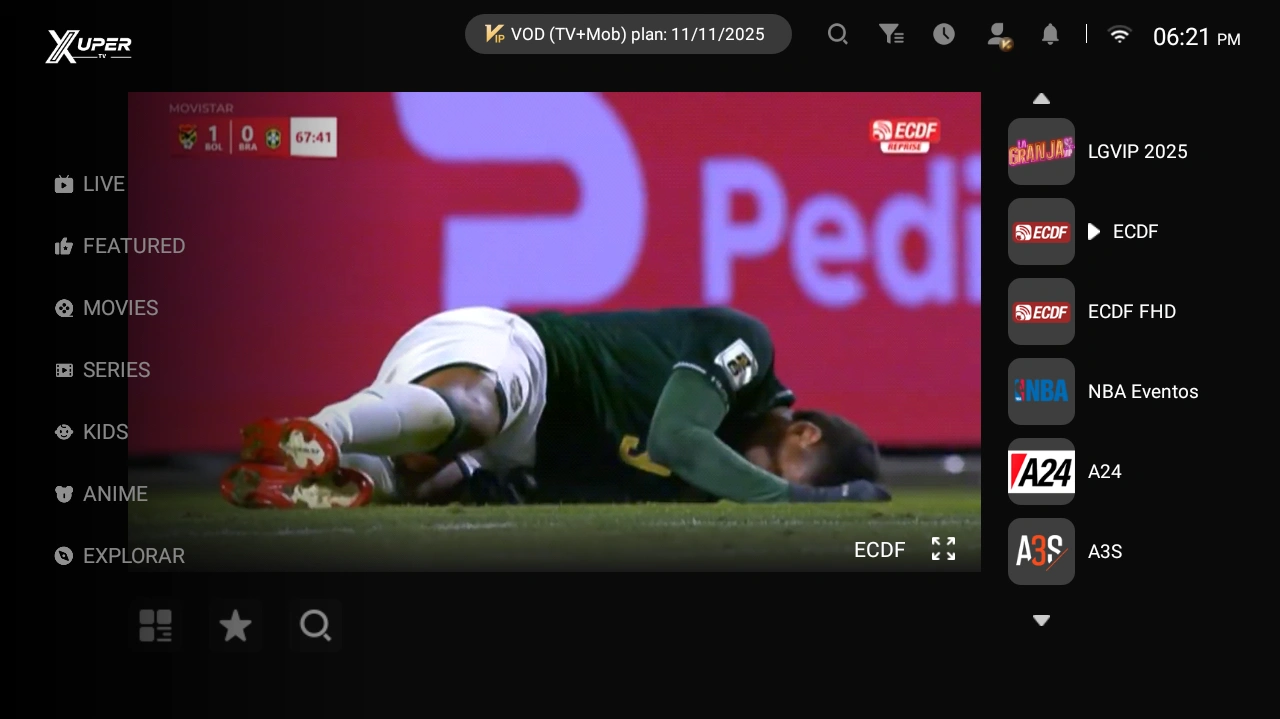
Subtitle controls can live in four different places. The app may have its own player controls. A linked trailer or streaming source may provide the caption track. The phone or TV operating system may offer accessibility caption styling. A casting receiver may expose a separate CC button on the TV or remote app. Because those layers are different, changing one setting does not always change the others.
If Streamex is being used mainly as a discovery or watch-planning app, the app may show trailers, descriptions, ratings, or watchlists while playback happens elsewhere. In that case, the subtitle question belongs to the video provider or device player. If you open a trailer in an embedded player, look for CC, subtitle, language, audio, or settings icons. If you open a title in another service, use that service's caption menu instead of searching for a new Streamex build.
| Where you are watching | Likely subtitle control | What to verify |
|---|---|---|
| Inside an app player | CC, subtitle, language, or settings icon | The title has subtitle tracks and the control is reachable on your screen. |
| Trailer or embedded video | The embedded video's own caption menu | Captions are available for that trailer, not just for the movie title. |
| Casting to TV | Receiver, TV remote, or sender app controls | The cast target passes caption tracks and the remote can focus the CC button. |
| External streaming app | That service's playback menu | Account, region, title version, and subtitle language support. |
Device checks
Phone, TV, Firestick and PC subtitle checks
On iPhone and Android phones, start with the player overlay. Tap the screen, open settings, and check for CC, subtitles, audio, or language. Also check system accessibility captions if the player supports them. On Android TV, Google TV, Fire TV, or TV boxes, the issue may be remote navigation: the subtitle button exists, but the D-pad focus cannot reach it because the app is a phone layout stretched onto a TV.
For PC or emulator use, be cautious with desktop installers that claim better subtitles. A native Windows or Mac file using the Streamex name is not automatically safer than the mobile app. If you are using an emulator, subtitle behavior still depends on the Android app and source. If you are using a browser, caption controls belong to the web player or streaming provider.
Troubleshooting
Streamex subtitles not showing: common causes and fixes
Use this table before changing APK sources. It keeps common subtitle symptoms separate from unrelated install problems. If a fix requires a different source, choose a source you can verify rather than a page that promises subtitles without showing package identity, update history, or permissions.
A missing subtitle button is not the same problem as a caption style issue. A language mismatch is not the same problem as a casting limitation. Splitting the symptoms makes the next step safer and usually faster.
| Symptom | Likely cause | Safer fix |
|---|---|---|
| No CC or subtitle button | The current title or embedded player may not expose subtitle tracks. | Try another title/source and check the provider's own caption menu. |
| Button exists but does nothing | The selected track may be unavailable, blocked, or unsupported by the device. | Restart the player, switch language once, and test on the phone before TV. |
| Subtitles work on phone but not TV | Casting receiver or sideloaded TV layout may not pass captions correctly. | Use TV-native app controls, casting settings, or the phone player instead. |
| Subtitles are out of sync | Source timing problem or stream variant mismatch. | Change the source or quality if available; avoid codec-pack downloads. |
| Wrong language only | The source has limited language tracks. | Use the source's audio/subtitle selector and confirm the title's regional version. |
Safety
Avoid subtitle-fix APKs, codec packs and clone pages
Subtitle searches attract risky pages because users are frustrated and willing to try a quick fix. Be careful with pages that advertise Streamex subtitles APK, premium captions, unlocked language packs, subtitle codec installers, or browser extensions. Those claims do not prove the file is connected to Streamex or that it can add captions to a source that has none.
A trustworthy app source should show the same evidence as any Android download: exact app name, package ID, developer, version, file size, update date, screenshots, permission list, and a clear final file host. If a page hides these details until after several buttons, treat it as a no-action candidate. The safer path is to use the normal app source, the TV guide, or the APK safety checklist depending on the device.
- Do not grant contacts, SMS, accessibility, device admin, or notification access just to fix subtitles.
- Avoid EXE, DMG, codec, and browser-extension downloads for a mobile app subtitle problem.
- Keep subtitle troubleshooting separate from APK source verification and TV compatibility.
- Prefer official store pages, built-in player controls, and provider caption menus.
- If a subtitle page uses misspelled Streamex names or mirror domains, verify it through the website guide before installing anything.
References
Useful references for captions and app safety
These references explain caption controls and app safety principles. They do not certify any third-party Streamex subtitle download.
FAQ
Streamex Subtitles FAQ
Why are Streamex subtitles not showing?
The current title or source may not provide subtitle tracks, the caption control may belong to an embedded player, or a TV/casting setup may not expose the control correctly. Check the player first, then the device and source.
Is there a separate Streamex subtitles APK?
Treat that claim as risky unless the source shows normal app evidence such as package ID, developer, version, file size, update date, permissions, and a trusted final host. A subtitle problem usually does not require a special APK.
Can Streamex subtitles work on TV?
They can work only when the video source has caption tracks and the TV player or casting receiver exposes the CC control. A phone APK sideloaded onto TV may make the control hard to reach.
How do I change subtitle language?
Open the active player menu and look for CC, subtitles, language, audio, or settings. If the language is missing there, the source may not provide that track for the selected title or region.
Should I use a codec pack to fix Streamex captions?
No. Codec packs, desktop installers, and browser extensions are high-risk fixes for a mobile app caption issue. Use the source player, official app controls, or a verified app source instead.