Live sports guide
Streamex Live Sports: What Works on the Website, App and TV
Yes, the Streamex.sh web interface currently shows a Live Sports category, but that does not mean the similarly named iOS or Android app guarantees live matches. This independent guide separates the website, store app, device setup, source availability, and safety checks so you know what you are opening before you click a stream or install anything.
Quick answer
Does Streamex have live sports?
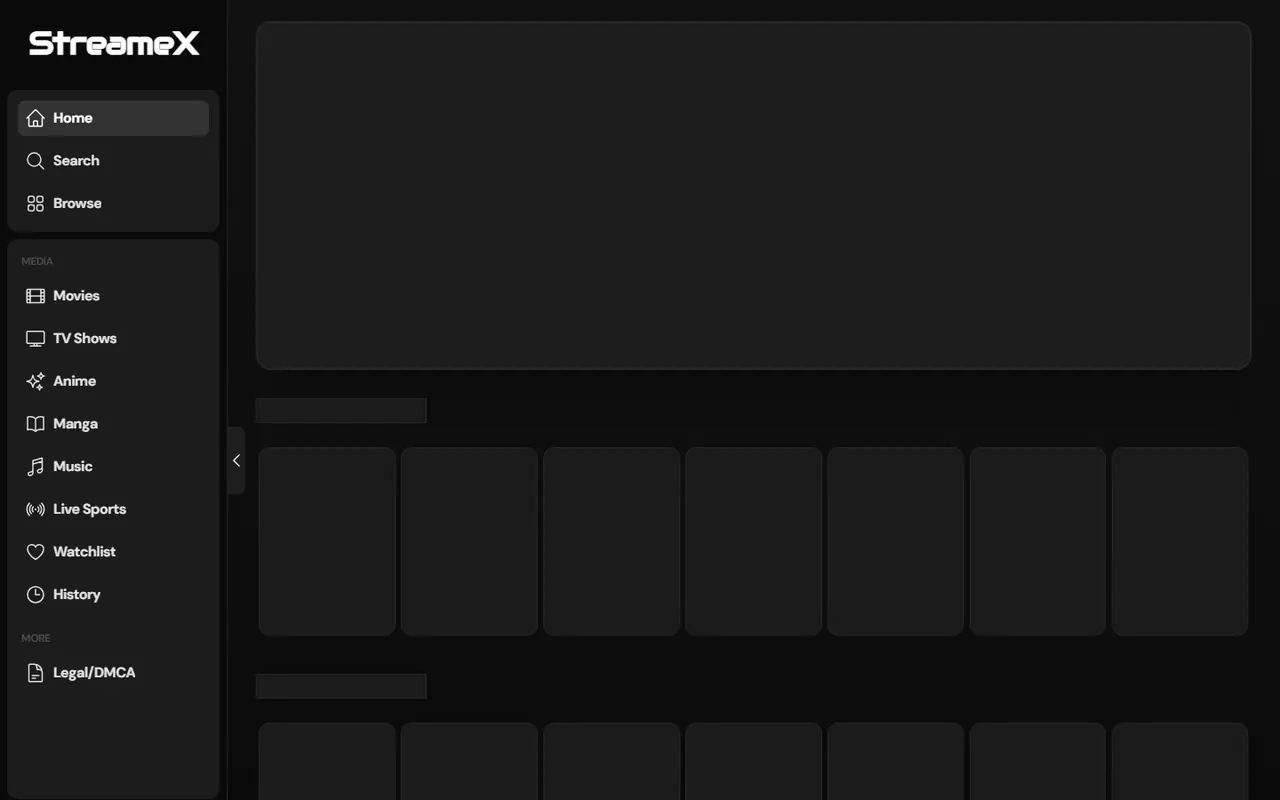
The Streamex.sh website visibly includes a Live Sports item in its navigation as of July 16, 2026. That is the clearest evidence behind the “streamex live sports” search intent. Availability inside that section can still change by event, source, region, time, or domain status.
The store-listed Streamex app is different evidence. Apple describes “Streamex - Watch Movies & TV” as a movie and TV discovery product. Its listing verifies the app identity and version, but it does not prove that every web sports stream is available inside the app.
Treat the website, the iOS app, the Android package, and any mirror as separate products until their domain, developer, package name, permissions, and visible features match. This page does not provide match links or methods for bypassing subscriptions, rights restrictions, or regional controls.
Know the difference
Streamex website vs Streamex app for sports
The biggest source of confusion is name overlap. A website can add a Live Sports category without changing what a store app promises. Likewise, an app icon or APK name does not prove ownership of a web domain.
Use the destination you actually opened as the starting point. On the web, check the domain and player behavior. On iPhone, check the Apple seller and version. On Android, check the package name and Play listing.
A page that says you need a new APK, codec, VPN profile, browser extension, or desktop player to unlock a match is asking you to change products, not simply use the current service.
| Channel | Verified signal | What it does not prove |
|---|---|---|
| Streamex.sh website | Live Sports appears in the menu | That every event is licensed, available, or safe |
| iOS app | Apple listing, seller, version 3.0 | That web live-sports sources play in the app |
| Android app | Package com.streamex.streamexoffecial | That a third-party APK is identical to Play |
| Mirror or clone | Similar branding or domain name | Ownership, safety, rights, or current status |
Before you watch
What to check before opening a live event
A useful sports page should show enough context to identify the event and destination before playback. Look for league or sport, teams or participants, start time, time zone, source name, and a stable player page. A generic countdown or a button that jumps through multiple ad domains is not the same evidence.
Check the browser address again after every redirect. A change from the expected domain to an unrelated download, betting, notification, or login page is a reason to close the tab. Do not approve push notifications just to see a schedule.
For paid leagues or local broadcasts, use the official league, broadcaster, team, or licensed streaming service when certainty matters. Search demand does not establish that a third-party stream has distribution rights.
| Check | Good sign | Warning sign |
|---|---|---|
| Event identity | Teams, league, start time, source | Generic watch button with no details |
| Domain | Stable HTTPS destination | Repeated redirects or look-alike domains |
| Playback | Normal browser player controls | APK, EXE, extension, or codec required |
| Account request | Expected provider sign-in | Wallet, card, or social login on a clone page |
Practical workflow
Safer steps for checking a Streamex sports page
Use a browser-first workflow before considering any app install. It gives you more visible domain and redirect information and makes it easier to leave a suspicious page.
If you already have the store app, keep it separate from website testing. Do not replace a verified app with a sideloaded build merely because a web event does not open.
- 1. Confirm the destination Open the exact domain you intended and verify HTTPS before selecting Live Sports.
- 2. Identify the event Check sport, teams, date, local time, and source before pressing play.
- 3. Watch redirects Close new tabs that request notifications, downloads, gambling accounts, or unrelated logins.
- 4. Prefer licensed fallbacks If the event is missing or unstable, use the league or broadcaster schedule instead of installing another file.
Device choices
Can you watch Streamex live sports on phone, TV, Firestick or PC?
A browser page may work differently across devices because of codecs, autoplay rules, pop-up handling, DRM, casting support, and remote-control focus. The safest choice is usually the device that lets you see the full URL and close redirects easily.
Casting or mirroring can move a working browser session to a larger screen, but it cannot fix an unavailable event, an unsupported source, or a player that intentionally blocks casting.
| Device | Best first method | Main limitation |
|---|---|---|
| Windows or Mac | Modern browser with pop-up protection | Unknown downloads and redirect chains |
| Android phone or tablet | Browser first; Play app only for listed features | Clone APKs and notification prompts |
| iPhone or iPad | Safari or verified App Store app | The app listing does not promise live sports |
| Android TV / Fire TV | Browser or cast from a checked phone | Remote focus, sideloading, and hidden URLs |
| Chromecast / AirPlay | Cast a verified working source | Receiver, codec, DRM, or network limits |
Safety and rights
Risks, limits and claims to avoid
Live-sports searches attract urgent clicks, changing domains, betting redirects, notification traps, and files labeled as premium or ad-free players. Urgency is not verification.
The page you choose should not require you to weaken device security. Keep unknown-source installs off, deny unnecessary notifications, and do not enter payment details on a page reached through an unexpected redirect.
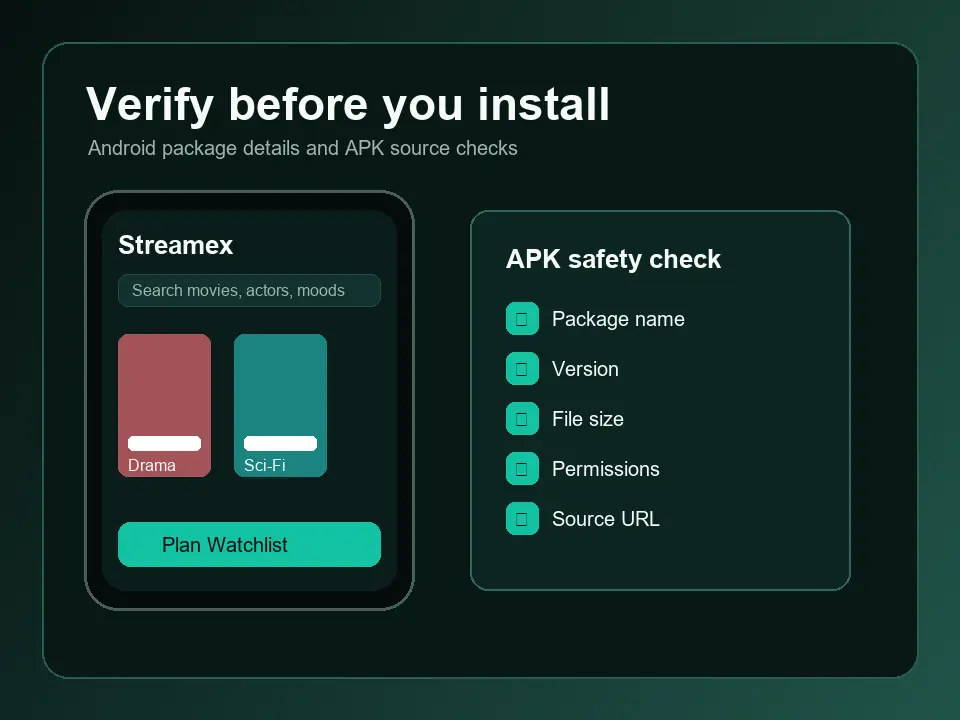
- Do not install an APK, EXE, DMG, codec, browser extension, or configuration profile to unlock one event.
- Do not assume a “Streamex official” label proves the developer or domain owner.
- Do not treat a visible event card as proof of legal availability in your country.
- Do not reuse an important password on a sports mirror or unfamiliar sign-in page.
- Do not allow gambling or push-notification prompts as a condition of playback.
When it fails
Why Streamex live sports may not load
A blank player or missing event is often a source, region, schedule, browser, or domain problem rather than an app-version problem. Reload once, confirm the event time, and test a normal browser window before changing software.
If the domain is down, the player redirects repeatedly, or the event disappears, do not chase random mirrors. Use the dedicated status, domain, ad, Chromecast, or TV guide based on the actual symptom.
| Symptom | Likely cause | Safer next step |
|---|---|---|
| Event missing | Schedule, region, rights, or source changed | Check league or broadcaster schedule |
| Black screen | Codec, blocked script, source failure, or DRM | Try another verified browser or licensed source |
| Cast icon missing | Receiver discovery or player limitation | Use the Chromecast troubleshooting guide |
| Pop-ups or betting redirects | Aggressive ad chain or unsafe mirror | Close the page and follow the ads cleanup guide |
| APK update demanded | Clone, outdated mirror, or sideload prompt | Return to the verified store listing |
Verified sources
Sources and version freshness check
Checked July 16, 2026. No newer verified version was found: iOS remains 3.0 (42.8 MB, released May 7, 2026) and Android metadata remains 7.0 (16.47 MB, updated March 21, 2026).
FAQ
Streamex Live Sports FAQ
Does Streamex have a live sports section?
The Streamex.sh web interface visibly showed a Live Sports navigation item when checked on July 16, 2026. Individual events and sources can change, so verify the current page before relying on it.
Does the Streamex app stream live sports?
The official iOS listing verifies a movie and TV discovery app, not a blanket live-sports promise. Treat web sports availability and store-app features as separate.
Is Streamex live sports free?
A page may be reachable without payment, but that does not prove every event is available, licensed, safe, or free in your region.
Can I watch Streamex sports on Firestick or Android TV?
A browser or casting workflow may work, but TV controls can hide URLs and redirects. Avoid sideloading an unknown sports APK only to fix one event.
Why is Streamex live sports not working?
Common causes include a missing event source, schedule or time-zone mismatch, region limits, browser or codec problems, domain changes, and blocked scripts.
Is Streamex the same as StreamEast?
No. Similar names in keyword tools do not prove that Streamex and StreamEast share ownership, apps, domains, or content.